

The icon just looks awful and isnt sized correctly on Android.
Come on Microsoft.
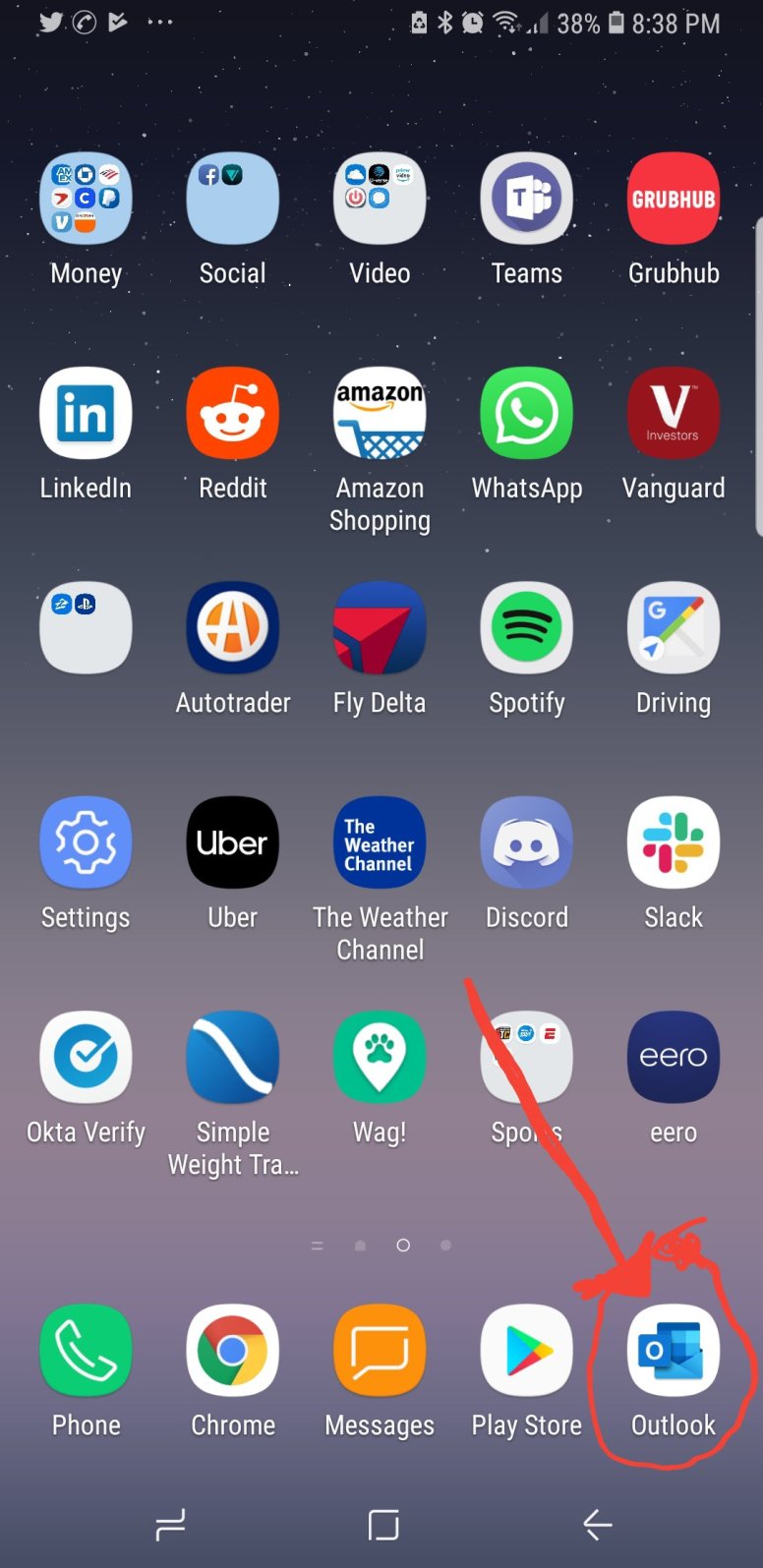
The icon just looks awful and isnt sized correctly on Android.
Come on Microsoft.
I’ve been recently evaluating a large migration to Office Pro Plus from Office 2013. One the questions we get asked often is what is the future of windows client. There are still a large amount of use cases where users prefer to work in a client and not in a web view. Lets review those cases and talk about the future of clients.
When we talk about web clients, we find there are three types of users. Users who think that Office web applications are just like gmail and they hate g suite. We have the modern user who prefers to work out of web browser. To this user, this change is type of way to access is how they are used to work. I call this the web generation. The last use case are the heavy users. They are using large data sets, or either real or imaginary they need the client.
Now don’t get me wrong, there are some use cases that with current technology could not be done in a web client (right now anyway), outlook calendar to 8 delegates, huge data sets in excel etc:
Without a doubt, either now or in the future there will be no more clients. Applications will be a way of the past in the future and everything will be out of one client, if that is a web browser, teams or something else.
Applications must die.
Recently Microsoft announced that the legacy com add-ons being supported going forward. One of the problems that this creates is it breaks what seems to be the Microsoft model going forward. Microsoft seems to be pushing everyone towards a provisioning model.
We created add-ons as a company because Microsoft was lacking features that we in the Enterprise needed. Now we have been addicted to these add-ons. These have become a fundamental part of our businesses.
Here are some of the problems that exist with add-ons now

Imagine being a firefighter called to a blaze—but no one tells you where the fire is, how big it is, or if anyone’s still inside. That’s what handling security incidents feels like when you’re missing critical information.
It’s not that the tools don’t work. It’s not that the team isn’t smart. It’s that you’re squinting through a fog of incomplete logs, missing metadata, or worse—redacted alerts because “that’s owned by another team.”
Here’s how it usually goes:
And when you finally piece things together, it turns out the issue could’ve been squashed in five minutes—if you had the right visibility from the start.
Security isn’t just about tooling—it’s about context. You need to know:
But often, that context is buried in someone else’s logging strategy, someone else’s monitoring tool, or worse—someone else’s inbox.
I’ve started to compile of features I would like to see Intune put in place. Some of these are just ideas or ramblings. It has become very clear to me that Intune is the correct MDM solution going forward in most Microsoft shops, they are sorely missing some key features.
I will be adding to this as we go
 Peters ramblings