

-
From Teams, select the manage icon in the lower left hand corner
- Select the team on the right hand side that you want to Archive
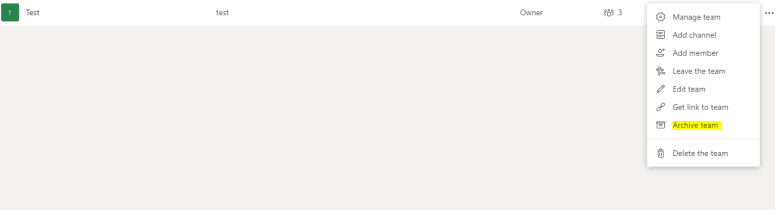

Archiving is a great feature for searching for content later, at my firm one of the first problems with had with teams is retention, what type of controls do we have. Be very careful with the delete team here.
More information on searching thru an archive.
To view and search through the content of the archived team, click its name in the Archived list. Or, make it a favorite if you think you’ll refer to it often (in the list, select the team, then More options  > Favorite).
All of the team activity is frozen once the team is archived. No one will be able to start new conversations or reply to posts in a channel, add or remove channels, edit team settings, or add apps. As a team owner, you’ll still be able to add or remove members, update roles, and delete, renew, or restore an archived team.
 Peters ramblings