
Tag Archives: intune

Announcing Monitoring Deep dive during Atlanta area Office365 Engineer meet up
I’ve started a new Meetup in the Atlanta area. We are going to be starting a group to deep dive into the Azure/O365 stack.
Here is the link to the group for those who want to join.
https://www.meetup.com/Office365-Administrators/members/?sort=join_date&desc=true
Mobile Edge Browser
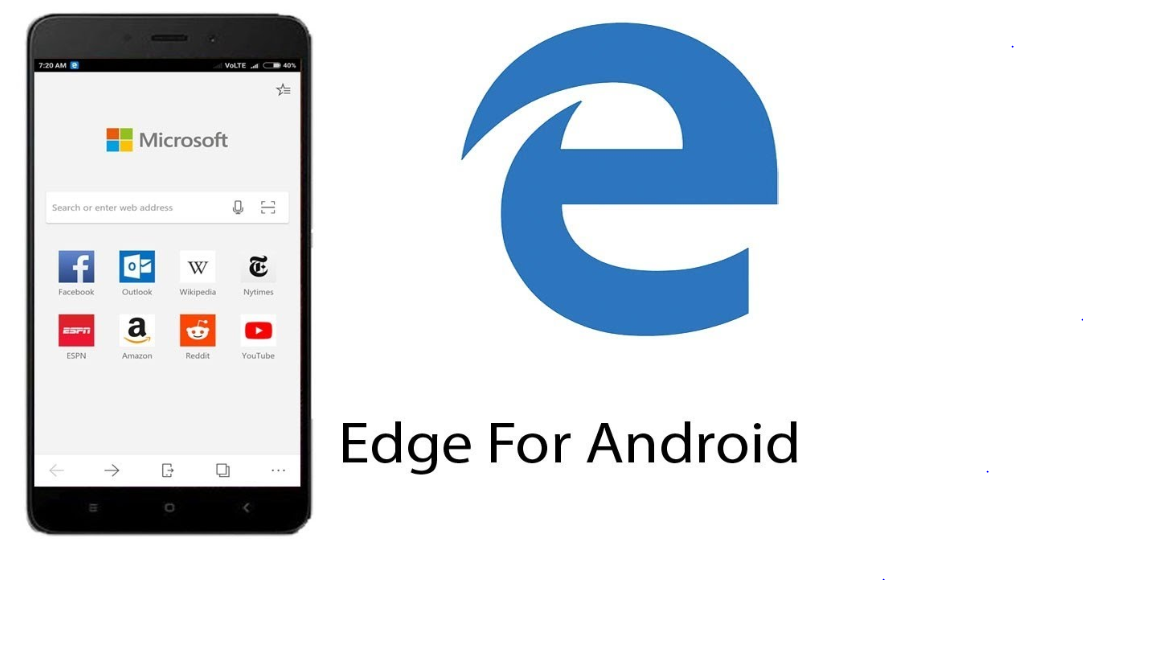
I have no idea why MS keeps pushing the Edge browser, never mind pushing it on mobile device. I admit, it is pretty fast and functional on PC. I can’t understand the logic behind why you think making it work on a Mobile Device would be something anyone would be remotely interested in.
From Microsoft
New Microsoft Edge browser settings for Windows 10 and later
This update includes new settings to help control and manage the Microsoft Edge browser on your devices. For a list of these settings, see Device restriction for Windows 10 (and newer).
New apps support with app protection policies
You can now manage the following apps with Intune app protection policies:
- Stream (iOS)
- To DO (Android, iOS)
- PowerApps (Android, iOS)
- Flow (Android, iOS)
Use app protection policies to protect corporate data and control data transfer for these apps, like other Intune policy managed apps. Note: If Flow is not yet visible in the console, you add Flow when you create or edit and app protection policies. To do so, use the + More apps option, and then specify the App ID for Flow in the input field. For Android use com.microsoft.flow, and for iOS use com.microsoft.procsimo.
InTune now supports 256bit encryption keys
From Microsoft The Intune App SDK will support 256-bit encryption keys The Intune App SDK for Android now uses 256-bit encryption keys when encryption is enabled by App Protection Policies. The SDK will continue to provide support of 128-bit keys for compatibility with content and apps that use older SDK versions. I’ve heard of so many people who work in the very super secure area asking about this for awhile, it is good to see Microsoft getting even more behind security. With so many companies looking at FEDramp, this looks like a no brainer.
InTune Updates
Huge week for Intune, check out all these Microsoft updates
App management
Uninstalling apps on corporate-owned supervised iOS devices
You can remove any app on corporate-owned supervised iOS devices. You can remove any app by targeting either user or device groups with an Uninstall assignment type. For personal or unsupervised iOS devices, you will continue to be able to remove only apps that were installed using Intune.
Downloading Intune Win32 app content
Windows 10 RS3 and above clients will download Intune Win32 app content using a Delivery Optimization component on the Windows 10 client. Delivery optimization provides Peer-to-Peer functionality that it is turned on by default. Delivery optimization can be configured by group policy and in the future via Intune MDM. For more information, see Delivery Optimization for Windows 10.
End user device and app content menu
End users can now use context menu on device and apps to trigger common actions like renaming a device or checking compliance.
Set custom background in Managed Home Screen app
We’re adding a setting that lets you customize the background appearance of the Managed Home Screen app on Android Enterprise, multi-app, kiosk mode devices. To configure the Custom URL background, go to Intune in the Azure portal > Device configuration. Select a current device configuration profile or create a new one to edit its kiosk settings. To see the kiosk settings, see Android Enterprise device restrictions.
App protection policy assignment save and apply
You now have better control over your app protection policy assignments. When you select Assignments to set or edit the assignments of a policy, you must Save your configuration before the change applies. Use Discard to clear all changes you make without saving any changes to the Include or Exclude lists. By requiring Save or Discard, only the users you intend are assigned an app protection policy.
New Microsoft Edge browser settings for Windows 10 and later
This update includes new settings to help control and manage the Microsoft Edge browser on your devices. For a list of these settings, see Device restriction for Windows 10 (and newer).
New apps support with app protection policies
You can now manage the following apps with Intune app protection policies:
- Stream (iOS)
- To DO (Android, iOS)
- PowerApps (Android, iOS)
- Flow (Android, iOS)
Use app protection policies to protect corporate data and control data transfer for these apps, like other Intune policy managed apps. Note: If Flow is not yet visible in the console, you add Flow when you create or edit and app protection policies. To do so, use the + More apps option, and then specify the App ID for Flow in the input field. For Android use com.microsoft.flow, and for iOS use com.microsoft.procsimo.
Intune app protection policies UI update
We’ve changed the labels for settings and buttons for Intune app protection to make each easier to understand. Some of the changes include:
- Controls are changed from yes / no controls to primarily block / **allow ** and disable / enable controls. The labels are also updated.
- Settings are reformatted, so the setting and its label are side-by-side in the control, to provide better navigation.
The default settings and number of settings remain the same, but this change allows the user to understand, navigate, and utilize the settings more easily to apply selected app protection policies.
Device configuration
iOS and macOS version numbers and build numbers are shown
In Device compliance > Device compliance, the iOS and macOS operating system versions are shown, and available to use in compliance policies. This update includes, the build number, which is configurable for both platforms. When security updates are released, Apple typically leaves the version number as-is, but updates the build number. By using the build number in a compliance policy, you can easily check if a vulnerability update is installed. To use this feature, see iOS and macOS compliance policies.
Update rings are being replaced with Delivery Optimization settings for Windows 10 and later
Delivery optimization is a new configuration profile for Windows 10 and later. This feature provides a more streamlined experience to deliver software updates to devices in your organization. This update also helps you deliver the settings in new and existing update rings using a configuration profile. To configure a delivery optimization configuration profile, see Windows 10 (and newer) delivery optimization settings.
New device restriction settings added to iOS and macOS devices
This update includes new settings for your iOS and macOS devices that are released with iOS 12:
iOS settings:
- General: Block app removal (supervised only)
- General: Block USB Restricted mode (supervised only)
- General: Force automatic date and time (supervised only)
- Password: Block password AutoFill (supervised only)
- Password: Block password proximity requests (supervised only)
- Password: Block password sharing (supervised only)
macOS settings:
- Password: Block password AutoFill
- Password: Block password proximity requests
- Password: Block password sharing
To learn more about these settings, see iOS and macOS device restriction settings.
Device enrollment
Select apps tracked on the Enrollment Status Page
You can choose which apps are tracked on the enrollment status page. Until these apps are installed, the user can’t use the device. For more information, see Set up an enrollment status page.
Search for Autopilot device by serial number
You can now search for Autopilot devices by serial number. To do so, choose Device enrollment > Windows enrollment > Devices > type a serial number in the Search by serial number box > press Enter.
Track installation of Office ProPlus
Users can track the installation progress of Office ProPlus using the Enrollment Status Page. For more information, see Set up an enrollment status page.
Alerts for expiring VPP token or Company Portal license running low
If you are using Volume Purchase Program (VPP) to pre-provision the Company Portal during DEP enrollment, Intune will alert you when the VPP token is about to expire and when the licenses for the Company Portal are running low.
macOS Device Enrollment Program support for Apple School Manager accounts
Intune now supports using the Device Enrollment Program on macOS devices for Apple School Manager accounts. For more information, see Automatically enroll macOS devices with Apple School Manager or Device Enrollment Program.
New Intune device subscription SKU
To help lower the cost of managing devices in enterprises, a new device-based subscription SKU is now available. This Intune device SKU is licensed per device on a monthly basis. Price varies by the licensing program. It’s available directly through the Office admin portal, and through the Enterprise Agreement (EA), Microsoft Products and Services Agreement (MPSA), Microsoft Open Agreements, and Cloud Solution Provider (CSP).
Device management
Temporarily pause kiosk mode on Android devices to make changes
When using Android devices in multi-app kiosk mode, an IT administrator may need to make changes to the device. This update includes new multi-app kiosk settings that allows an IT Administrator to temporarily pause kiosk-mode using a PIN, and get access to the entire device. To see the kiosk settings, see Android Enterprise device restrictions.
Enable virtual home button on Android Enterprise kiosk devices
A new setting will allow users to tap a soft-key button on their device to switch between the Managed Home Screen app and other assigned apps on their multi-app kiosk device. This setting is particularly helpful in scenarios where a user’s kiosk app does not respond appropriately to the “back” button. You’ll be able to configure this setting for corporate-owned, single use Android devices. To enable or disable the Virtual home button, go to Intune in the Azure portal > Device configuration. Select a current device configuration profile or create a new one to edit its kiosk settings. To see the kiosk settings, see Android Enterprise device restrictions.
Intune GitHub
I’ve been doing more and more work lately with Intune and Powershell. I have to tell you I am very happy with the current state of the Graph API and the MS GitHub repository. I am getting a bunch of great stuff out of it. So easy to use, and some great examples.
If you haven’t worked on it yet, you should check it out.
Guest Access
Recently had to do a bunch of research into guest access in Azure AD. One of things I’ve been trying to wrap my head around recently is the move from federation access via legacy ADFS type connections. Moving those over to guest access to B2B. It really fixes some of the trust issues that would happen. It also allows the IAM part of the business to play catch up instead of trusting all domain users for example. I was at ignite this year, and it seemed to be the overall theme. Consuming content how you want to consume, via a B2B, and collaborate on the go. With all the updates to teams we’ve gotten in the last year, I am excited to see what this year has in store. 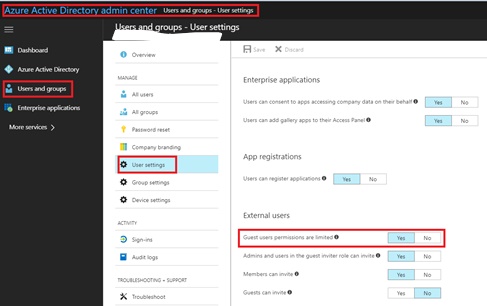
Assigning licenses in O365 via Okta
Recently had to set up Okta assign some O365 licenses. I wasn’t aware at that time, that this also requires me to manage all the Azure AD roles thru Okta as well. This is a pain in the ass.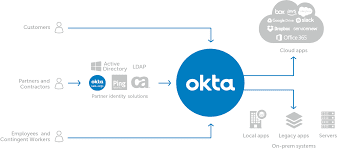
New InTune User Portal
From Microsoft
User experience update for the Company Portal app for iOS We’ve released a major user experience update to the Company Portal app for iOS. The update features a complete visual redesign that includes a modernized look and feel. We’ve maintained the functionality of the app, but increased its usability and accessibility. You’ll also see: Support for iPhone X. Faster app launch and loading responses, to save users time. Additional progress bars to provide users with the most up-to-date status information. Improvements to the way users upload logs, so if something goes wrong, it’s easier to report.
For awhile now, the Company portal has been lacking behind what you get from MobileIron and airwatch, with the release this week the portal feels more modern. This has been a sorely needed update for awhile now. With a lot of firms moving off of Airwatch and MobileIron when doing Microsoft renewals. We are getting weekly updates from Intune. It surely has come a long way. 
Conditional access
I have been working on conditional access rules this week in my test environment. I am planning on trying to sell to my senior leadership a plan to move off traditional MDM and towards an Intune/MAM conditional access setup.
Some of the things I really like about conditional access is the ability to control all of the different client access. I can lock it down to could application type, or domain user etc:
The only real problem I’ve come across is trying to sell this. It is such a huge change, and really requires all or nothing type approach. We will see what the new year brings.
 Peters ramblings